Automated HVAC load shifting to avoid SRP peak pricing windows
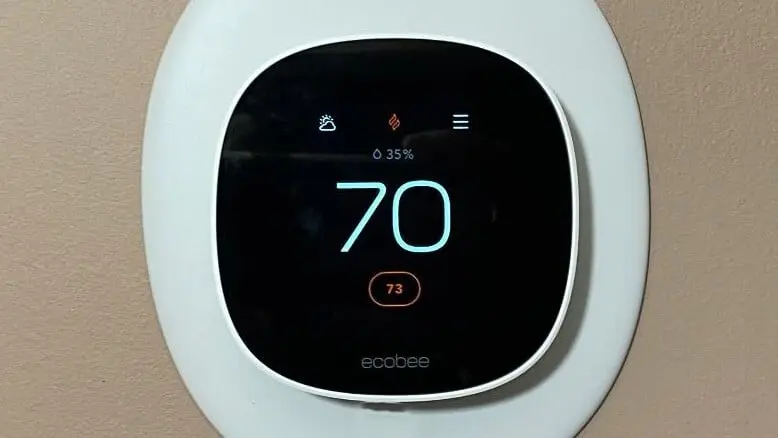
Living in the Arizona desert, my electricity bill is not just a monthly expense. It is a tactical challenge. With SRP’s Time-of-Use plans, power prices double during peak hours. This post covers how I built a Node-RED logic engine to load shift my cooling, and the problems I ran into along the way.
The Problem#
In the summer, SRP hits you hard between 2:00 PM and 8:00 PM. If your AC kicks over at 2:05 PM to catch up with a 115°F afternoon, you are paying maximum price for maximum effort. My goal was to stop reacting to the heat and start anticipating it.
The plan was to pre-cool the house by 2 degrees at 1:30 PM, then let the house coast through the peak hours by raising the setpoint.
The Goal#
A fully automated HVAC scheduler that pre-cools the house before peak pricing starts, coasts through the expensive window, and accounts for season changes, occupancy, and guest overrides without any manual intervention.
The Build#
The Investigation#
The first version was simple. A set of time triggers in Node-RED that fired at 1:30 PM and 2:00 PM and sent setpoint commands to the Ecobee via Home Assistant. It worked immediately, which was encouraging.
Then July ended and August arrived. The schedule that worked perfectly in summer was fighting me in the shoulder season, and by December it was completely wrong. Arizona does not just have hot and cold. It has Peak Summer, Winter, and those weird weeks in between. Winter peak hours shift to early morning and evening, almost the opposite of summer.
A second problem emerged around the same time. The automation was pre-cooling an empty house on days when nobody was home. The AC was running hard at 1:30 PM for no reason.
The Pivot#
Static time nodes were not going to work. The schedule needed to know what month it was and whether anyone was home before sending any commands.
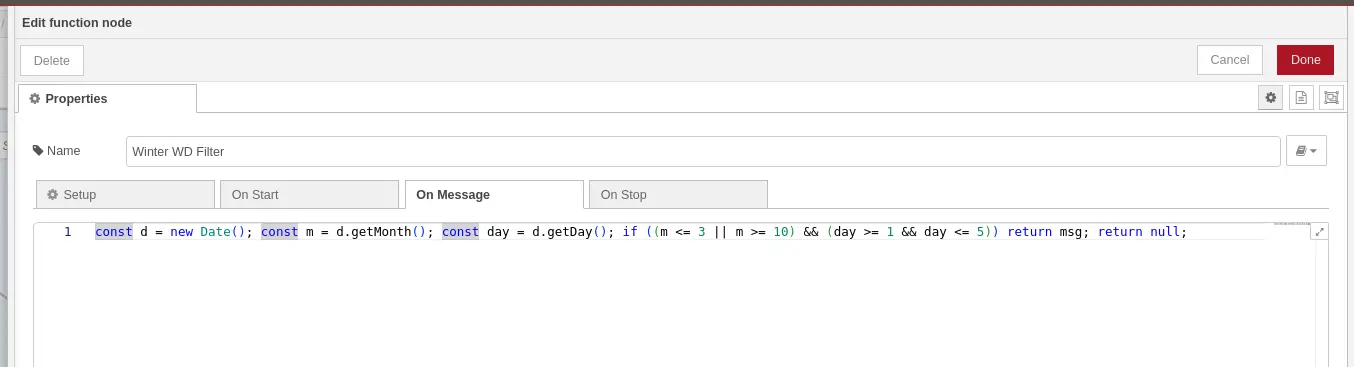
For the season problem I added a JavaScript Season Filter function node in Node-RED. It checks the current month before passing the signal along:
const month = new Date().getMonth();
// 4 = May, 10 = November
if (month >= 4 && month <= 9) {
  return [msg, null]; // Route to Summer Logic
} else {
  return [null, msg]; // Route to Winter Logic
}
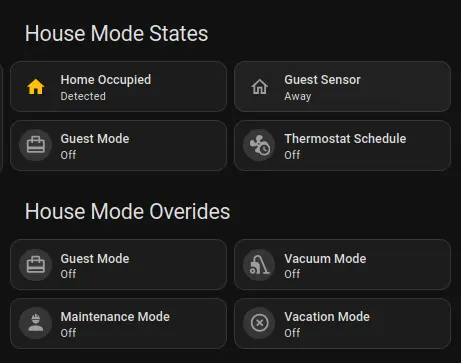
For the occupancy problem I built a Safety Stack. Before any temperature command reaches the thermostat, it passes through three gatekeeper nodes in sequence:
- Vacation Mode: If this is on, all scheduling is bypassed and the thermostat holds a flat 85°F.
- Occupancy: Using phone location tracking, if the house is empty the pre-cool step is skipped entirely.
- Master Enable: A dashboard toggle to pause the automation when guests want manual control.
The Fix#
After a few iterations the Summer weekday schedule settled into this:
| Time | Action | Setpoint | Why |
|---|---|---|---|
| 1:30 PM | Pre-Cool | 76°F | Store cold while power is cheap |
| 2:00 PM | Load Shed | 80°F | Coast through the peak window |
| 8:00 PM | Recover | 78°F | Return to comfort once rates drop |
The complete flow from start to finish. The blue group is the Winter schedule, the pink group is the Summer schedule, and everything funnels into the Safety Stack before the final thermostat call:
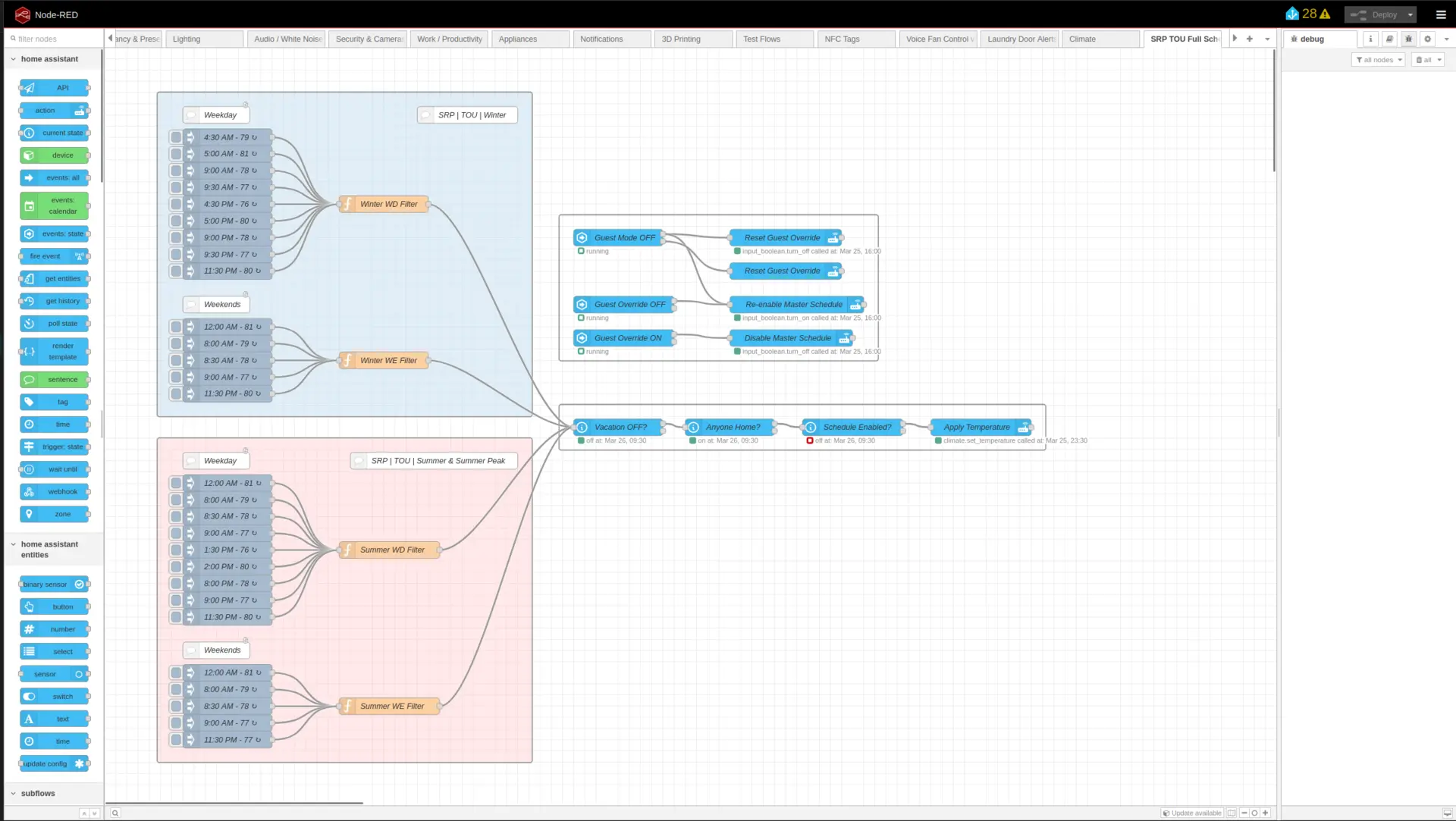
The final node is the Apply Temperature action node, which is the only node that actually talks to the thermostat:
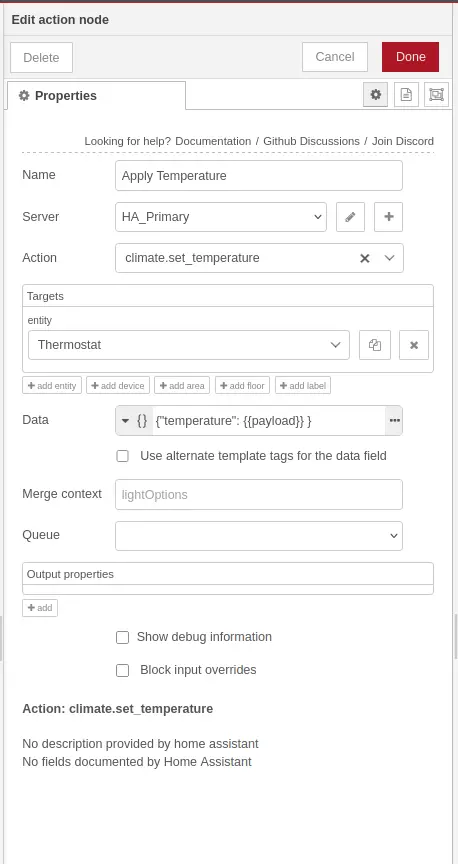
{"temperature": {{payload}} } in the Data field takes whatever setpoint the flow calculated and sends it to the thermostat. This one node is reused by every schedule branch.
Keep your checks in this order when building something similar:
[Time Trigger] -> [Season Filter] -> [Weekday/Weekend Check] -> [Occupancy Check] -> [Thermostat Service Call]Each node is a gate. If any check fails, the message stops there and the thermostat is left alone.
Results#
By shifting the heavy cooling work to the hour before the peak window opens, daily on-peak demand has flattened noticeably. The AC barely runs between 3:00 PM and 6:00 PM because the thermal mass of the house was already brought down during the pre-cool phase.
This is still marked as a work in progress because the winter schedule has not been through a full season yet and I expect it will need tuning.
What I Would Do Differently#
I would build the season filter and the Safety Stack before doing anything else instead of adding them after the fact. Starting with just the time triggers felt like a quick win but it meant reworking the flow structure twice. The Safety Stack especially should be the first thing you build because every other node in the flow depends on it.
What Is Next#
I am looking into pulling SRP pricing data directly via an API. The goal is to have the house adjust automatically if SRP ever changes their peak windows, making the whole system truly set and forget.
If you want to build this yourself, I wrote a full step-by-step tutorial that walks through every node, explains the logic, and includes the complete flow as a downloadable JSON file: